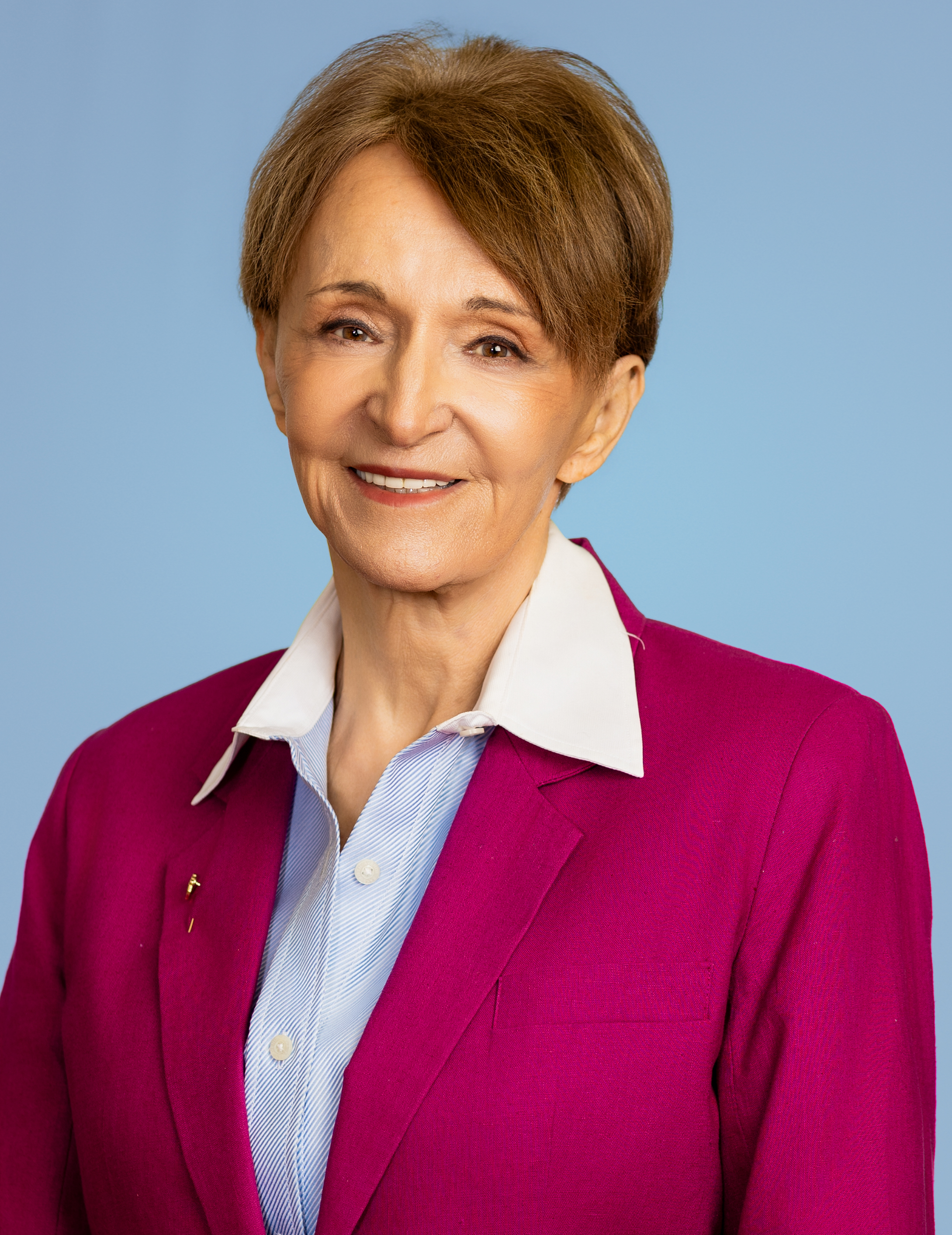
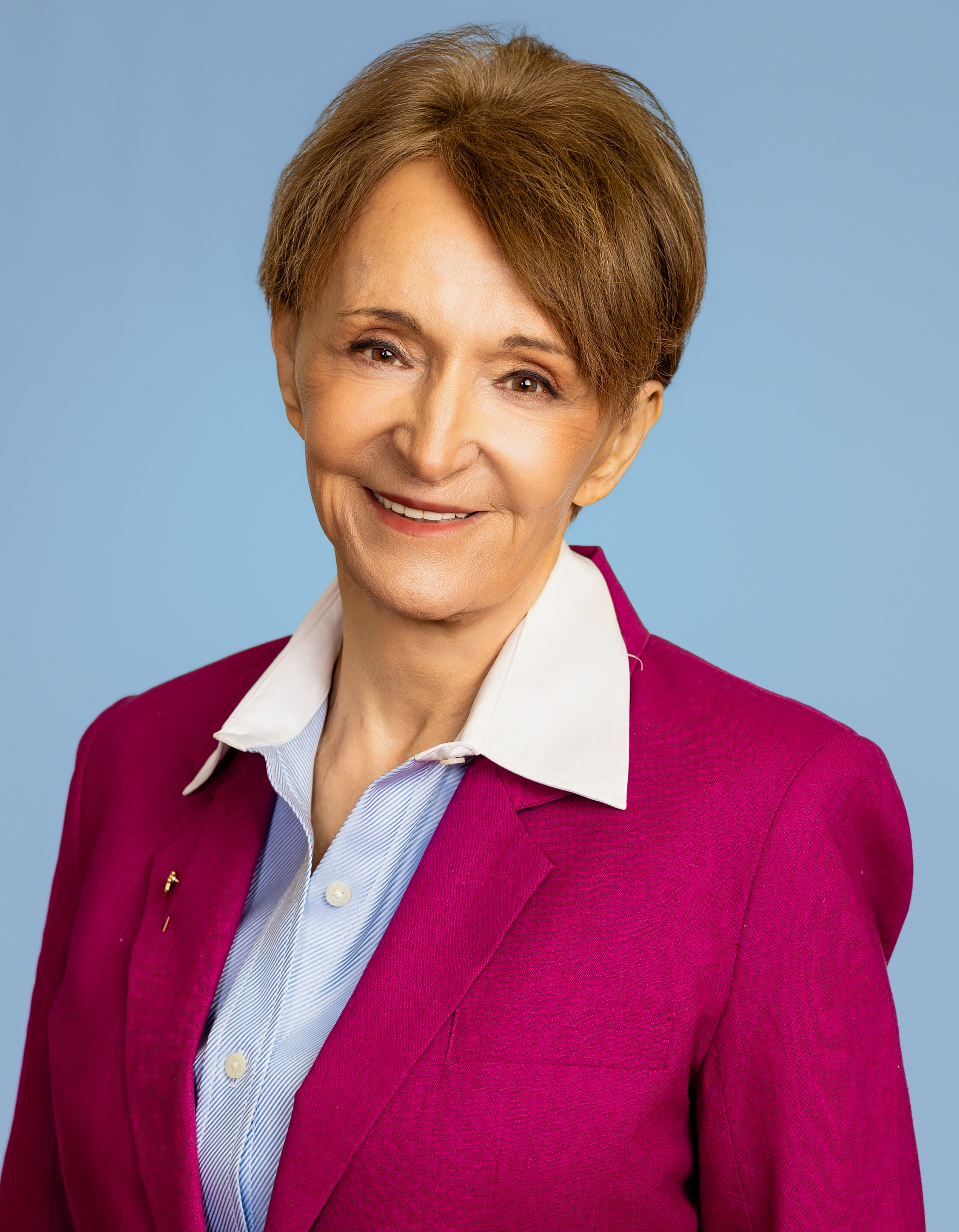
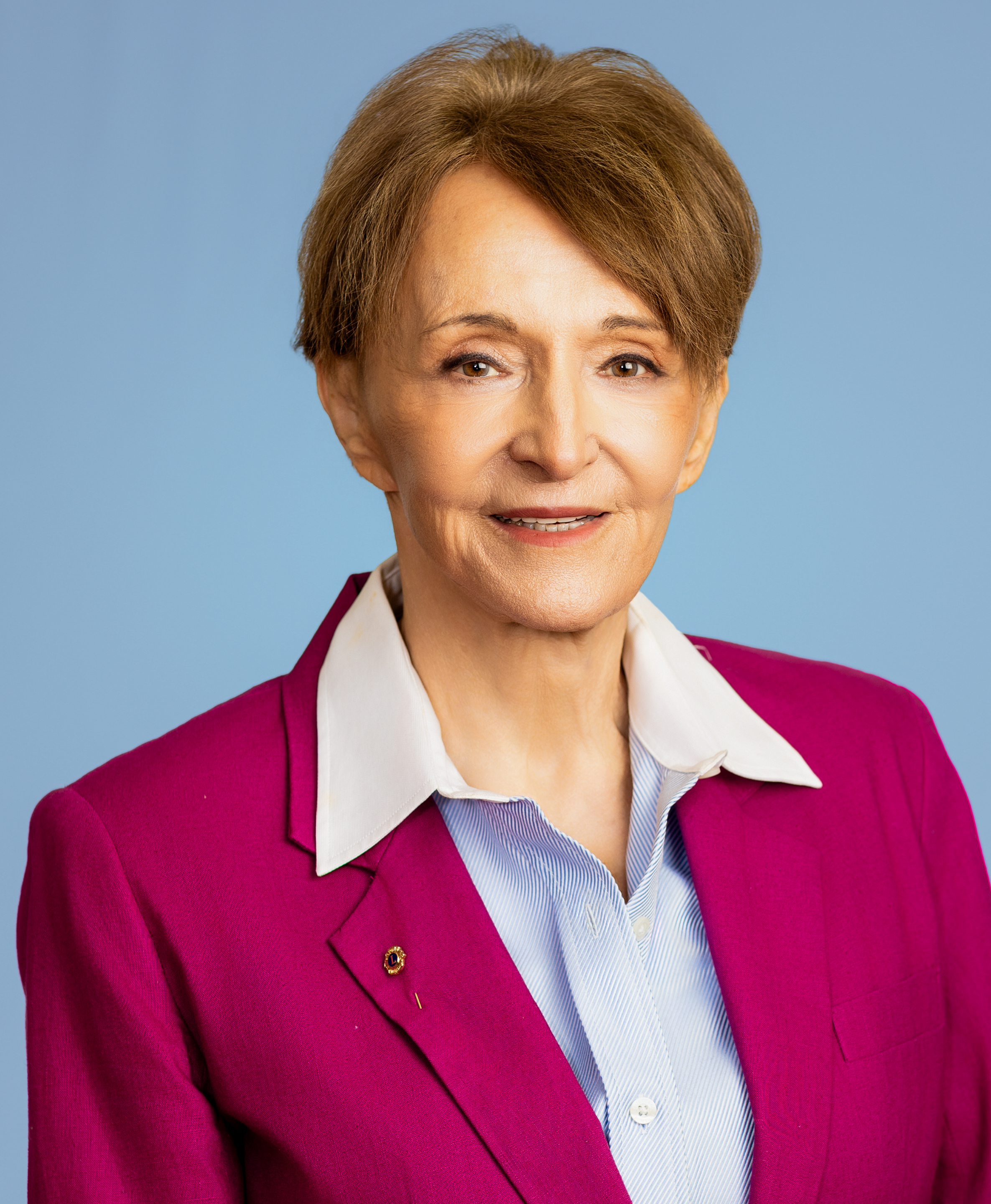
Your LinkedIn profile photo is being evaluated right now — by recruiters, potential clients, referral partners, and hiring managers who looked you up before they decided whether to reach out. It is the first thing people look at. Not your title. Not your company. Your face. It is how someone decides in about two seconds whether you look credible, approachable, and worth connecting with. Census Reporter. Here are LinkedIn Headshot Tips for St. Louis Professionals.
LinkedIn Headshot Tips for St. Louis Professionals
LinkedIn profiles with professional headshots receive 14 times more profile views than those without. AreaVibes LinkedIn’s own data shows profiles with a photo get up to 21 times more views, 9 times more connection requests, and 36 times more messages. NeighborhoodScout Those numbers are not subtle. They represent the difference between a LinkedIn profile that works for you every day and one that quietly costs you opportunities you never even know you missed.
If you are a St. Louis professional who is serious about your career or your business — your LinkedIn headshot deserves serious attention. This guide covers everything you need to know before your session, what to wear, what to expect on the day, and how to make sure you walk away with an image that actually performs.
Why Your LinkedIn Headshot Is Different From Any Other Photo You Own
Most professionals have photos of themselves. Family photos. Event photos. Conference photos. The problem is that none of those photos were made with LinkedIn’s specific visual requirements in mind — and those requirements are more precise than most people realize.
LinkedIn crops every profile photo into a circle. That circle displays at roughly 200 pixels on desktop and even smaller on mobile. Your face should fill approximately 60 percent of the frame — head and shoulders, close enough to read your expression, far enough to show what you are wearing. If your face is a tiny speck inside a landscape of background, nobody can see your expression, your eyes, or anything that builds connection. NeighborhoodScout
A great LinkedIn headshot needs to work at 400 by 400 pixels on a profile and 1,200 pixels wide on a company website. Shoulders visible but not dominating the frame. Enough space above the head for cropping flexibility. The image should hold up whether it is printed on a conference badge or displayed on a large monitor. NeighborhoodScout
A photo cropped from a group event, a selfie taken in decent lighting, or a photo that was not composed with those specifications in mind will not perform on LinkedIn the way a purpose-built professional headshot does. The difference is visible immediately to everyone who sees it — even if they cannot articulate exactly why.
What to Wear for Your LinkedIn Headshot — The Complete Guide
Wardrobe is the most common source of anxiety before a headshot session. It should not be. Here is the framework that works consistently across every industry and every professional level.
The Golden Rule: Dress for the Role You Are Trying to Attract
Match your industry, not your mood. A tech startup founder can wear a clean crew-neck tee. A financial advisor should wear a blazer. A creative director can push boundaries. When in doubt, look at what the most respected people in your field wear in their headshots, and start there. City-Data
Dress for the position or job you want, not the job you currently have, while considering your industry standards. If this means wearing a tie or a suit, wear that in your photo. Data USA
For most St. Louis professionals — attorneys, executives, financial advisors, healthcare professionals, real estate agents, and corporate managers — this means professional attire that reflects your seniority and the clients or colleagues you want to attract. When in doubt, go one level more formal than your everyday workwear.
Colors That Work and Colors to Avoid
Solid colors photograph best. Navy, charcoal, black, white, forest green, burgundy, and muted blues all work across skin tones and background colors. City-Data
The goal is to choose a color palette that contrasts your skin with the outfit and the background. Opt for neutral colors — black, grey, or navy blue are all safe and go well with most skin tones. Avoid colors that are too similar to your skin tone as they will make you look washed out. Choose outfits that are significantly lighter or darker than your skin tone. Data USA
Blue conveys trustworthiness and stability — attributes valued in most professional contexts. Navy suits and blue shirts are perennial favorites for this reason. AreaVibes
Avoid tight patterns — stripes, plaid, small checks — because they create a visual shimmer effect on camera. Busy patterns are distracting from your face. You want someone looking at your photo thinking this person looks confident and credible — not noticing your outfit. Census Reporter
Fit Is Everything
In headshots, the frame is tight so collars, necklines, and shoulders matter. Clothes that do not fit make you look unkempt and ill-prepared. Many otherwise great headshots are undermined by a crumpled collar or shoulders that bunch up — small details that the camera amplifies significantly. Wikipedia
Iron or steam everything before your session. There is no better way to defeat the goal of your portrait than having wrinkled clothes. Data USA If anything does not fit properly — too loose, too tight, or simply past its best — leave it at home.
Sleeves and Necklines
Sleeves matter more than most people think. Long or three-quarter sleeves frame your upper body better than bare arms for most headshot crops. Census Reporter
Different necklines change the apparent shape of your face. Bring a variety of different shirts or blouses to see what works best. Sleeveless tops and dresses can draw attention to your shoulders and arms — consider bringing items with a variety of different sleeves. mySidewalk
Accessories — Less Is More
Keep jewelry and accessories minimal. Simple studs, a plain watch, or a subtle necklace can add polish without competing with your face. Avoid large logos or statement pieces unless your role is in fashion or branding. Wikipedia
Adding subtle accessories can take your look up one notch when done judiciously. Make sure these elements do not overpower what you are wearing or draw too much attention away from your face. Less is more when considering accessories for headshots. Data USA
How Many Outfits to Bring
Bring a minimum of two complete outfit changes — three if you have them. Different looks give you versatility across different platforms and different professional contexts. A structured, authoritative look for your company website and LinkedIn. A warmer, more approachable look for your speaker bio or social profiles. Having options costs nothing extra and significantly increases the usefulness of your session.
At Shari Photography our Professional Package includes three outfit changes and four retouched images — specifically because we know that versatility across looks is what makes a headshot session truly valuable.
Hair, Grooming, and Skin — What to Know Before Your Session
Hair
Do not get a new haircut just before the shoot — you may want to let it grow in a bit or get used to styling a new cut. Do not try or use any new product on your hair, face, or body the day before or a few days before your shoot. mySidewalk
Get any haircut at least a week before your session. Style it the way you would for your most important professional meeting. Clean, controlled, and consistent with how you actually look in professional settings.
Skin and Grooming
The night before your session, hydrate well and get a full night of sleep. Dark circles and tired eyes are significantly harder to retouch naturally than most people realize. Before you take a new headshot, ensure you are well-rested and your outfit is clean and fits well. Reflect on your role and the image you want to project and let that guide your expression and demeanor. U.S. Census Bureau
Makeup
A heavy layer of translucent powder makes your face appear flawless in photos — shine disappears, pores seem smaller, and skin looks even. Avoid shimmers or products with lots of sparkle or shine as these reflect studio lighting in unflattering ways. mySidewalk
For women the goal is polished and enhanced — not transformed. The retouching we do after your session will handle minor skin concerns. Your makeup should look like you on your best day — not like a performance look that reads as overdone on camera.
For men — a light mattifying powder to reduce shine is worth considering and makes a visible difference in studio lighting.
What to Expect During Your Session at Shari Photography
Most clients tell us they were nervous before their session and surprised by how much they enjoyed it. Here is exactly what happens from the moment you arrive.
Before You Arrive
After booking your session you will receive full wardrobe guidance — specific advice on what to bring, what to avoid, and how to prepare for your specific session type. You arrive prepared, not guessing.
When You Arrive
The studio at 5205 Gravois Ave in South St. Louis is warm, private, and specifically designed to put you at ease. There is a changing area, a mirror, and time built into your session to settle in before the camera comes out. You will not be rushed from the car into the studio and immediately in front of a lens.
During the Session
Posing for a LinkedIn headshot should reflect your professionalism and confidence. Stand or sit up straight, angle your body slightly towards the camera, and smile naturally. U.S. Census Bureau
You will never be left wondering what to do. Every element of your pose, angle, and expression is directed continuously throughout your session — the shoulder angle that projects authority without stiffness, the chin position that eliminates unflattering shadows, the specific thought process that produces a genuine smile rather than a forced one. After 15 years of photographing St. Louis professionals, we know exactly how to coach every face type and every personality type into their best expression.
We photograph multiple looks across your outfit changes — some stronger and more authoritative, some warmer and more approachable — so you leave with a range that serves different platforms and different contexts.
Same-Day Image Selection
Immediately after your session you review your images on a large studio monitor and choose your favorites before you leave. You know exactly what you are getting. No waiting weeks. No gallery of hundreds of images to sort through alone. No unpleasant surprises.
Delivery
Your retouched, final images are delivered within 24 hours — formatted for LinkedIn, your company website, press features, and any other platform where your photo appears.
See what St. Louis professionals are getting in our business headshot gallery →
Technical Specs for Your LinkedIn Profile Photo
Once you have your professional headshot, uploading it correctly matters. Here are the exact LinkedIn specifications:
The ideal LinkedIn profile photo size is 400 by 400 pixels. PNG files preserve more detail than JPEG especially in areas with high contrast like the edge of your face against the background. LinkedIn crops every profile photo into a circle — center your face in the frame and keep important details away from the edges where the circular crop removes content. NeighborhoodScout
Profile photo: 400 x 400 pixels minimum — PNG preferred Banner image: 1584 x 396 pixels at a 4:1 ratio Profile photo displays: As a circle on desktop and mobile File size: Under 8MB
Every image delivered from Shari Photography sessions is high-resolution and formatted to work correctly across every platform — no resizing, no compression issues, no blurry results.
How Often Should You Update Your LinkedIn Headshot?
LinkedIn recommends keeping your profile photo current to ensure people know what you look like if they were to meet you tomorrow. Updating your headshot every two to three years is a good rule of thumb. This practice ensures your online presence matches your current appearance and builds trust with potential connections who may eventually meet you in person. AreaVibes
It might be tempting to use that favourite picture of yourself from years ago — but if your digital profile is unrecognisable from your real appearance when you meet your LinkedIn contacts in person, it would not be unreasonable of them to wonder what else you have to hide. Jefflottmann
Beyond the two to three year guideline — update your headshot any time your appearance changes significantly, when you change roles or industries, when you launch a new business or personal brand, or simply when you look at your current photo and it no longer feels like you.
Common LinkedIn Headshot Mistakes — And How to Avoid Them
Using a group photo or cropped event photo Your face should be the only one visible in the image. You would not put a group photo on your business card so do not put one on your professional profile. NeighborhoodScout
Using an outdated photo Make sure your LinkedIn photo is kept up to date and actually looks like you. The in-person disconnect — when someone meets you and finds a different person from your photo — quietly and immediately damages trust. Jefflottmann
Using a selfie A selfie signals that professional image is not a priority. The camera angle, the lighting, and the expression in a selfie are almost never calibrated for professional use — and everyone who looks at your profile knows a selfie when they see one.
Wearing something you would not wear to a client meeting Your headshot photo should show you looking professional, confident, friendly, and approachable. When you look and feel good you will smile more comfortably and confidently — and that shows up in your photos. Data USA
Over-retouching The goal of retouching is to look like you on your best day — not a filtered version of someone else. Heavy retouching that removes all skin texture, alters your features, or makes you look plastic will create an immediate disconnect when clients meet you in person.
Ready to Update Your LinkedIn Headshot?
Your LinkedIn profile photo is working for you or against you every single day. The right image opens doors. The wrong one closes them silently, without ever telling you.
At Shari Photography we serve St. Louis professionals throughout the metro area — Clayton, Chesterfield, Ladue, Creve Coeur, Kirkwood, Webster Groves, and beyond. Our studio at 5205 Gravois Ave is open seven days a week. Same-day image selection. 24-hour delivery.
View LinkedIn headshot session pricing →
See the LinkedIn headshot page →
Book your LinkedIn headshot session online →
Questions? Call or text 314-221-2166.
